
EZ-Mill Cad/Cam Software allows you to easily produce high-accuracy fast and quality parts from 2 axes to 5 axes. It's large post library is friendly with all CNC Milling Machines. G-Code optimization and Simulation.
Discover Ez-Mill



 Watch the Demo
✓ Geometry Mode – Solid Model to Machining Plan
✓ Modernized Interface & View Cube
✓ Curveless & SmartClick Machining
✓ Advanced 3D, Thread Milling & Mill-Turn
✓ Integrated CIMCO Edit Professional
And many more...

EZ-Turn Cad/Cam Software allows you to easily produce fast & quality parts with high accuracy, from 2-axis machining to C, Y axis machining. It's large post library is friendly with all CNC Turn Machines.
Discover Ez-Turn
EZ-EDM Cad/Cam Software allows you to easily produce high-accuracy fast & quality parts in 2-axis and 5-axis CNC Wire EDM. It's large post library is friendly with all CNC Wire EDM Machines. G-Code optimization & Simulation.
Discover Ez-EDM
Alibre CAD is a part of the EZ-CAM family and provides best in class Solid Modeling integration. With Alibre's parametric modeling and EZ-CAM's associativity there is a streamline workflow.
Discover AlibreEZ-CAM 2027 introduces a built-in AI Assistant, a modernized interface, and improvements across milling, turning, multi-axis, and postprocessing. [more]
-
The EZ-CAM AI Assistant
A built-in AI Assistant you can talk to right inside EZ-CAM — answering only from EZ-CAM’s own manuals, tutorials, and postprocessor references. Voice input in 9 languages, Geometry Mode, Postprocessor Editing, Alibre CAD Help, Extended Thinking and more…
-
Geometry Mode — Solid Model to Machining Plan
Load a solid part and the Assistant reads the real 3D geometry and proposes a complete, sequenced set of operations — pockets, holes, chamfers, bores, grooves, threads — with one-click Create Worksteps in EZ-CAM and full-precision, validated results and more…
-
Modernized Interface & Smarter Work Step List
A refreshed flat interface with a new on-screen View Cube, anti-aliased viewport, dimensions that stay on the part in true 3D, and a smarter Work Step List with hover info cards, drag-and-drop reordering, vc/fz feedback and more…
-
Curveless, SmartClick & Advanced 3D Machining
Program directly from 3D model faces — curveless turning from mesh, SmartClick hole selection, 4th-axis wrapping. Advanced 3D machining adds avoid surfaces, smarter finishing, and strong 3+2 (G68.2) positioning and more…
-
Turning, Thread Milling, Postprocessing & Tool Import
Automatic connection moves and sub-spindle support in EZ-TURN, full conical/tapered Thread Milling, a modernized postprocessor format with new posts, integrated CIMCO Edit Professional, and Universal Tool Data Import and more…
March 31, 2026
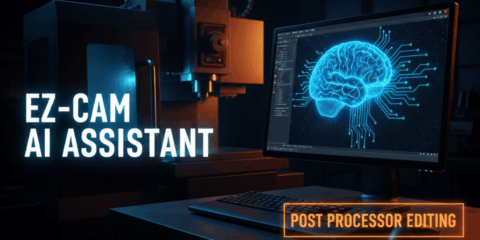
EZ-CAM AI Assistant — Industry-First AI-Powered Post-Processor Editing
The EZ-CAM AI Assistant is now available with EZ-CAM 2026 Service Pack 1 — and it brings a capability no other CAM software offers: AI-powered post-processor editing through natura ..
February 8, 2026
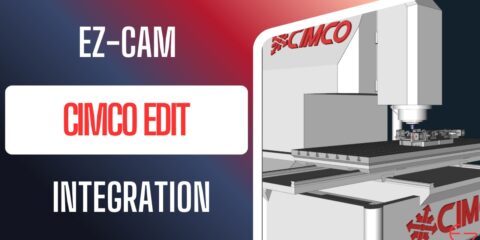
CIMCO Edit Professional – Now Included with EZ-CAM 2026 SP1
With EZ-CAM 2026 Service Pack 1, we are introducing a major enhancement to your daily CNC workflow: CIMCO Edit Professional is now included for all EZ-CAM users with active mainten ..
July 2, 2025

EZ-CAM 2026 Now Shipping!
..
March 18, 2025

EZ-CAM Expands with New Partners in Poland and Portugal!
At EZ-CAM, we continue to expand our dealer network to reach more users worldwide and bring our innovative CAD/CAM solutions to a broader audience. As part of this effort, Datacomp ..
Don’t Miss the Answers to Questions Worth Asking
“Learn How You Can Benefit From EZ-CAM”
-
Is EZ-CAM compatible with my machines?
-
How do you transfer files and in my machine's format?
-
What about post-processor editing?
-
Does EZ-CAM have CAD capabilities?
-
How easy is EZ-CAM to learn?
-
What kind of support comes with EZ-CAM?
-
Do I own the product or do I pay yearly?
-
Now watch the video on the right !


All products, you can buy from our website online!
Easiest CNC Software • CAM Programs

Here at Machining Concepts, we have used EZ-CAM since our beginning in 1995. I was one who programmed at the machine control whichever it was where I used to work, and I can say I thought I was good at it. Then I began programming offline when I began at Machining Concepts using EZ-CAM and have not looked back since. We use it for turning and milling and whichever one you program, this is the way to go. I use the PRO version because I do a lot of 3D milling and surfing. I have not needed to use anything but EZ-CAM for any programming, whether it is simple hole work, 3D surfing, indexing, or 4 axis simultaneous machining. We were talked into many other EXPENSIVE software packages during the years, but unfortunately, they now sit “collecting dust”. They didn’t do anymore that EZ-CAM did for us and had a VERY big learning curve, whereas I can take a newbie and have them programming in a day with EZ-CAM. This is the way to go whether you need to program a hole or build a complex program with 60 tools. And posting a program is a simple or complex as you want it to be since YOU have control over your POSTS with the provided M-Build and T-Build editors. Give it a shot. You will love it.
Machining Concepts

We have been using Ez-Cam for the past 20 years. The ease of learning and using the product is truly amazing. From doing a simple part to complex we have been able to do whatever we need. Being a small 5 man shop, the price makes it very affordable for a small shop such as ours. The customer service is friendly and knowledgeable of their product and quick to respond. I would highly recommend Ez-Cam. Gary Ramberg/President
Edgewood Mfg

I am in the mold making business since 1980, and when I bought my first CNC the programing was very cumbersome, long hours writing the program in G code! Then a friend recommended the EZ CAM program! It was a God send! I have not stopped using this program over so many years now. The program has changed quite a bit since the first one I used, but I never had to re-learn the programming, since it just grew into a much more sophisticated system (surfaces, draft options etc) without changing the basics of it. Another great advantage of EZ-CAM Solutions is the fantastic interaction I have with the support team, they are always eager to answer all my questions, and they are right there on the phone and in person! I have tried Master Cam it was good but very expensive and could not do anything better than EZ Cam. Five stars to EZ-CAM. In short, I can recommend this program, no matter how complicated the machining needs to be. It’s for everybody! Sincerely
Albert Schlagenhaufer
- A@H Tool and Die Inc. - Woodburn Oregon.

We, here at Watts Water Technologies, use the EZ-CAM software to create the G-code used in our Sodick wire EDM machines. We make carbide tooling on 6 axii platforms (uvwxyz) that are in turn are used in production environments to make valves. We either import from other CAD environments or work from print to create profiles, offsets and rotary tips for proper clearances. We also make trim dies to cut off the parting line from castings. The software is simple to use, effective and at the right price. “We get the support we need in a timely manner” Thank you
Daniel Welch
- Watts Water Technologies

My company uses EZ-CAM for several reasons. First, new hires learn it quickly. It is only as complex as the part you are programming. You can start out slowly with an easy part, and as you learn, move to more challenging parts. You do not get overwhelmed with complex software trying to cut a simple vise jaw without a model. Simply, draw what you need and cut. Second, you can easily create a specific tool path of your preference. You’re not locked into a generated path because of model constraints. Additionally, the g code post processor can be modified in house to fit each of your machines' specific needs. From our 2 axis lathe to our 5 axis machining centers, we have modified the supplied posts to create programs to run perfectly without editing. Last, there are no yearly, ridiculous, “maintenance” fees. Buy it. Load it. Done. The above reasons, coupled with quick and easy customer support, makes EZ-CAM our CAM software preference. Sincerely,
Frank Knoll
- Knoll Precision

I want to start off by saying that I’m not one to usually leave reviews on anything, but feel that I need to with the amount of time saved and the exceptional support that I have always received through the years dealing with EZ-CAM. I have been using EZ-CAM for over 7 years now and find it to be the best all-around programming software I have used to date. I use the Pro version and 50 percent of what I do is on a forth axis. I have predominantly used MasterCAM, and SurfCAM at shops before changing jobs. When I found out the new shop was using something different I was second guessing to not change jobs since the person I was replacing was no longer there and I was on my own to learn it. I’m so glad I didn’t let that deter me. The learning curve was nonexistent. It just all makes sense so it wasn’t even like learning something new for me. I can only think of how much easier it would have been when I was starting out if I would have started on EZ-CAM. I can go from a drawing to having my post file so much faster using EZ-CAM it’s not even funny. And a BIG call out to Chris! Thanks!!!!
Rodney Ray
- EMPCO

I work at Eckhart in Lansing Michigan and we use EZCAM for all of our cnc machining centers. It is a fast, effective, affordable way to program simple to complicated parts. We provide ergo tooling, fixtures, etc... So we are making unique parts on a daily basis and EZCAM makes that possible. The High Speed Machining feature is great, it provides toolpaths to quickly and efficiently remove material with little "air" time. This saves a lot of time, especially when machining irregular pockets. I also really like the "Detect open edges" option which allows the tool to travel outside the part eliminating a scallop where an open edge lies. I would highly recommend EZCAM as an affordable, effective CAM solution.
Cris Ellingsen
- Lansing, MI