



EZ-CAM 2027 delivers the most significant update in years: an intelligent, built-in AI Assistant that answers CNC questions in plain language and reads your solid model to plan machining — plus a modernized interface and a wave of improvements across milling, turning, multi-axis, postprocessing, tool-library setup, and CAD integration.
1. The EZ-CAM AI Assistant
The centerpiece of EZ-CAM 2027 is a built-in AI Assistant — an expert you can talk to, right inside the software. It answers only from EZ-CAM’s own knowledge, and if something isn’t covered it tells you rather than guessing.

-
Ask in plain language — or just speak
• Natural questions — Ask the way you’d ask a colleague and get a clear answer drawn from EZ-CAM’s own manuals, tutorials, and postprocessor references — never the open internet. It covers milling, turning, EDM, postprocessors, and Alibre CAD.

• Voice input in 9 languages — Type, or press the microphone and ask out loud — ideal on the shop floor. The Assistant understands and answers in nine languages (English, German, Turkish, Korean, Dutch, French, Portuguese, Polish, and Japanese), using an EZ-CAM glossary so CNC terms stay correct.
-
Grounded in EZ-CAM’s own knowledge
• Curated library — Backed by thousands of pages of manuals and help, hundreds of transcribed tutorial videos, and postprocessor/controller references spanning over 500 CNC controllers across 180+ machine-tool brands. It searches by exact wording and by meaning, and answers from the best-matching source.
-
Purpose-built modes
• General Help — Everyday questions across EZ-MILL, EZ-MILL PRO, EZ-TURN, and EZ-EDM — features, dialogs, toolpaths, coordinate systems, and simulation.
• Postprocessor Editing — Controller-aware help to read and tune the post that turns toolpaths into machine-ready G-code — headers, tool changes, coolant, canned cycles, number formatting, multi-axis and sub-spindle output — with especially deep coverage of Siemens SINUMERIK, Heidenhain TNC, and Fanuc.
• Alibre CAD Help — Modeling guidance in Alibre’s own terms — extrude, revolve, sweep, loft, shell, patterns, constraints, drawings — with matching video tutorials.
• Extended Thinking — A think-harder mode that researches across several rounds before answering the toughest, multi-part questions.

-
Geometry Mode — from solid model to machining plan (new)
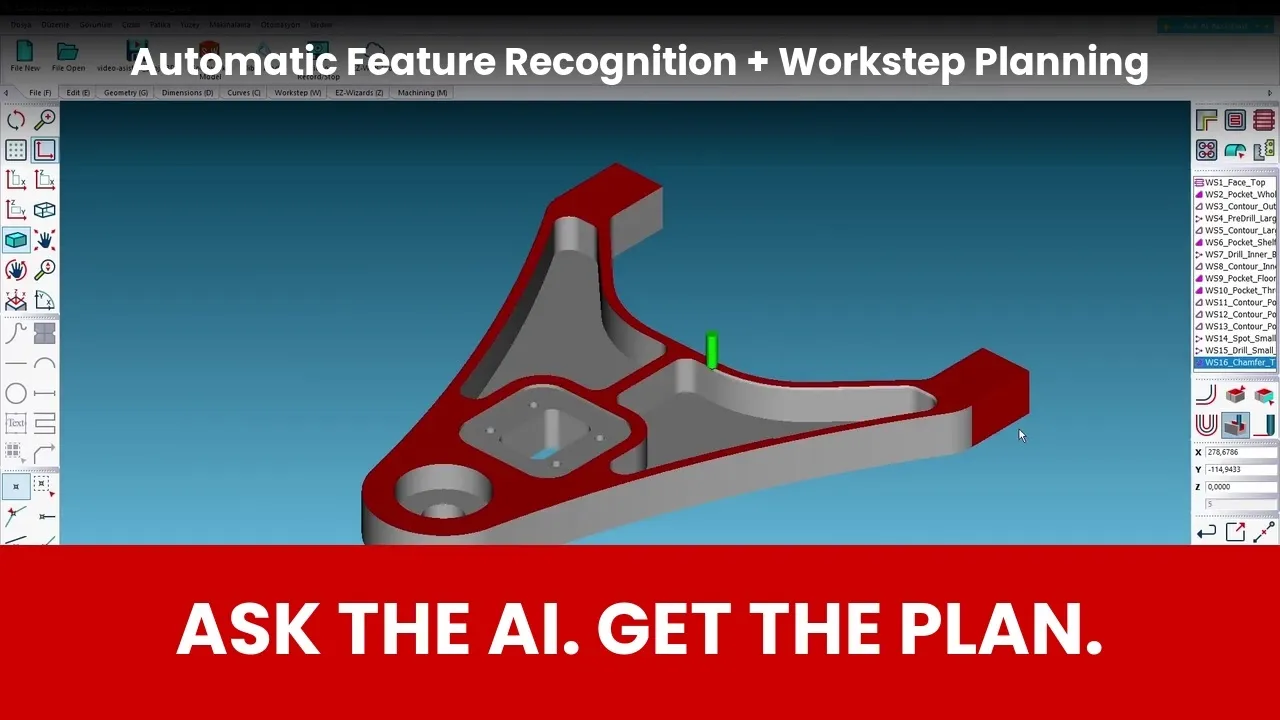
The most advanced new capability in 2027. Load a solid part and the Assistant reads the real 3D geometry and proposes a complete, sequenced set of operations; one click builds them in your open part.

• Milling (mature) — Recognizes pockets, bosses and islands, bores, holes, chamfers, fillets, drafted walls, counter-bored holes, and outer profiles; decides drill-vs-pocket, checks which faces are reachable in the current setup, adds rest-milling for tight corners, and orders cuts sensibly (roughing first, fragile chamfers last).
• Turning (new this release) — Reads turned parts from the revolved profile — outside (OD) and inside (ID/bore) diameters, faces and back faces, bores, grooves, threads, and drilling — correctly separating outer and inner features and handling sub-spindle / second-operation work.
• One-click creation — A single Create Worksteps in EZ-CAM click creates the operations directly in your open part. Geometry Mode fills in tool type and size; you choose the exact tool, confirm feeds and speeds, and simulate before posting — nothing is created until you click.

-
Accuracy you can trust
• Checked before it reaches your part — Every proposed operation is validated against EZ-CAM’s own rules before creation. Anything that fails is skipped and reported — never silently created wrong — unreachable features are left out, and real model dimensions are carried at full precision, never rounded to tidy numbers that would move a feature.
-
More than answers
• Diagrams, videos, PDF & history — The Assistant draws a diagram in the chat when a picture explains it better, links answers to the matching EZ-CAM or Alibre tutorial video (filtered to mill/turn/EDM), exports any answer or full conversation as a clean EZ-CAM-branded PDF, and saves every chat grouped by date.
• AI-assisted postprocessor editing — Describe a change in plain language and the Assistant edits the post with one-click reimport into EZ-CAM.
• Screenshot & image analysis — One click sends the current EZ-CAM screen to the Assistant, which can also read error dialogs, CAD images, and G-code files.
-
It learns your shop
• Tailored over time — The Assistant adapts to the machines and controls you run, the posts you customize, your language, and how much detail you like. It remembers only your preferences and habits, never technical facts, so EZ-CAM’s official documentation always has the final word.
• Standalone installer & automatic updates — A standalone installer bundles the search component so there is no separate download at startup, and the Assistant updates itself when launched from EZ-CAM.
2. A Modernized Interface
A refreshed, flat, modern look across the whole application — cleaner surfaces, a neutral steel color scheme, and updated Segoe UI typography — now joined by a new on-screen View Cube and a smoother, anti-aliased viewport.

• Redesigned Start screen — A cleaner New Part launcher with modern buttons, clear Backup / Restore actions with cloud icons, and edition-coded accents for Mill Pro, Mill, and Turn.
• Refreshed viewport — A new neutral background that reduces glare and keeps the focus on your part, plus full-scene anti-aliasing that renders the model and every edge noticeably smoother.
• Modernized dialogs & parameter grid — Higher-contrast fields and cleaner cards across all cycle dialogs, and a bottom parameter spreadsheet that reads like a modern data grid — bold headers, quiet gridlines, row-hover highlighting, and a soft selection color.
-
View Cube — standard views in one click (new)
A new on-screen View Cube sits in the top-right corner of the viewport and turns with your model as you rotate — the fastest way to reach any standard view.

• Orbit and snap — Drag the cube to orbit the model freely, or click a face, edge, or corner to snap straight to that view — top, front, back, left, right and bottom, the twelve 45° edge views, and the eight isometric corners.
• Always in sync — The cube mirrors the part’s current orientation and highlights the face, edge, or corner under your cursor, so you always know which way the model is facing.
• Localized, in Mill and EDM — Cube labels follow your language, and the View Cube is available in both EZ-MILL and EZ-EDM.
-
Smarter Work Step List
The operation list is cleaner and tells you more at a glance.

• Hover info cards — Hover any operation to instantly see its tool, machining time, and coordinate system (MCS) without opening the step.
• Drag-and-drop reordering — Grab operations and drag them up or down to reorder your program (arrow keys still work); deactivated steps now show with a strike-through and stronger contrast.
• Better feedback while you work — Cutting speed (vc) and feed per tooth (fz) shown alongside RPM and feeds; machining curves highlighted in magenta (click again to remove); Check Distance/Angle/Radius and Simulate Tool show values and holder geometry in tooltips; the 3D preview uses distinct colors for the machine table versus fixtures and vices.
-
Dimensions that stay with the part (new)
Dimensions and text no longer disappear when you leave the top view. They now stay on the part as you rotate — drawn on their original 2D creation plane in true 3D, so a fully dimensioned part reads correctly from any angle.

• On the part, in 3D — Each dimension holds its place on its creation plane, so its extension lines, arrows, and value tilt and foreshorten with the model as you orbit, instead of vanishing outside the X-Y view.
• Labels aligned to the dimension — The measured value now reads in-plane, along the dimension it belongs to, so it stays legible and clearly tied to its feature from any viewpoint.
• Redraw to declutter, orbit to restore — A Redraw clears annotations that don’t belong to the current view for a clean look; orbiting the model brings them all back on their planes.
3. Curveless & SmartClick Machining
Program directly from 3D model faces — no path curves required.

• Curveless turning from mesh — A spun 2D profile is generated in the background from any 3D data, including STL mesh — recognizing OD, ID, grooves, and faces with no STEP or Parasolid conversion, shown in the 3/4 Section View.
• SmartClick enhancements — Color discrimination with a selected-hole count popup, one-click selection of all like holes, Alt+SmartClick for drilling, automatic Z-Surf at the first turning diameter, automatic top/bottom fillet-radius assignment, and multiple plunge points including through holes.
• 4th-axis wrapping & indexing — Wrapping and indexing around user coordinate-system axes, including drilling on wrapped surfaces, plus curveless indexing without a UCS using the first selected surface.
4. Advanced 3D Machining (EZ-MILL PRO)
New strategies and a substantially faster 3D toolpath engine.
• Stock Milling with Avoid Surfaces — The Check Surface Table now accepts both stock-defining surfaces and named avoid surfaces, enabling 3D roughing that steers clear of selected surfaces.
• Smarter finishing — A finishing-pass library adds passes only where required and skips flat vertical faces; Pencil mill offers multiple passes for cleaner edges.
• 3+2 positioning — Strong 3+2 (5-axis indexing) with expanding G68.2 support and 4th-axis finishing by projecting a linear curve with wrapping.
5. Thread Milling
Full conical and tapered thread capability across milling and turning.

• Conical taper support — Thread Milling now supports conical (tapered) threads in both the toolpath and the postprocessor output, with accuracy controlled by the Cycle Data spline tolerance.
• Helical output — Tapered thread milling can output true helical (G2/G3) arcs on both the mill and turn sides.
• Turning taper & multi-tip tools — EZ-TURN thread milling supports a taper angle, and thread milling supports multi-tip tools when machining with a draft angle.
6. Turning & Mill-Turn (EZ-TURN)
Automatic move planning, richer live-tool cycles, and sub-spindle support.

• Automatic connection moves — With the curveless system, connection moves between turning worksteps are checked against the solid and inserted automatically — no manual entry and exit moves. Verify All computes the whole sequence with connections included.
• Cutting speed & feed-per-tooth — vc and fz are now available across all five TurnMill live-tool cycles.
• Threading on flat-topped forms — The threading cycle automatically calculates pitch and depth on threads with flat roots and crests, not just sharp V-form teeth, and the curveless thread cycle derives depth and Z-lead from the modeled thread shape.
• Sub-spindle & reliable retract — Full sub-spindle handling for back-side machining with correct 3/4-view verification; the toolpath always retracts to +Z after the last workstep, with retract direction standardized per selected turret.
7. Postprocessing & Machine Support
A modernized postprocessor format and a growing library of proven posts.

• Choose your output extension — A new Extension selector on the Post Processor dialog sets the G-code file extension right where you post — pick a common type such as .nc, .min, .eia, .tap, .mpf, .h or type your own, and each post remembers its own default.
• Growing reference-post library — New and updated posts for Doosan (5-axis 3+2), SZGH turn-mill (sub-spindle / Y-axis), Heidenhain, Siemens SINUMERIK, Tsugami, and HAAS. Custom post development is available at no extra charge for licensed users.
8. Integrated CIMCO Edit Professional
A professional NC-code editor, backplot, and simulation suite — included with active maintenance.

• Included as the default editor — CIMCO Edit Professional is bundled and becomes the default NC-code editor in the Post Processor dialog — no separate purchase or licensing.
• Solid simulation & auto transfer — Verify G-code with solid material-removal simulation, fixtures and tables for collision detection; stock and tool data transfer automatically from EZ-CAM, so CIMCO opens with everything loaded.
• DNC & program management — Includes one-port DNC for serial/network machine communication and NC-BASE for centralized NC program management; a standalone simulation viewer can be shared with customers.
9. Universal Tool Data Import
Build large, accurate tool libraries in minutes instead of hours.

• Import manufacturer data directly — Load cutting-tool data straight into the Mill and Turn libraries, ending manual entry.
• Broad format support — ISO 13399 P21/STEP, ZOLLER TMS XML, DIN 4000 / CIMSOURCE XML (2021 schema), and CSV/Excel with customizable field mapping.
• Fast batch workflow — Select dozens of files at once, auto-detect mill/turn type, and process in batches with progress and import logs; validated data from Sandvik Coromant, ISCAR, Kennametal, Mitsubishi, Walter, Seco, Sumitomo, and Jongen.
Get EZ-CAM 2027
EZ-CAM 2027 is available now. Download the latest version at ezcam.com/setup.